The number to find before pressing Record
Put the card beside the camera before packing for a recording. A large number such as 200 MB/s can be easy to spot while the small V30 beside it escapes attention. Those markings answer different questions. Your task is to match the card’s sustained recording class, capacity type and interface to the camera’s requirements for the exact movie mode you intend to use.
This guide covers reading SD and microSD labels, with the Sony α6700 as a specific camera example. Keep your own model’s manual open if you use something else. A card that works for photographs, or one familiar 4K setting, has not thereby qualified for every video setting.
Write a short recording note: camera model, movie format, frame rate, recording bitrate, whether proxy recording is enabled, and whether you are using ordinary movie recording or slow/quick motion. This gives you something precise to compare with the manual instead of asking whether the card is simply “fast.”
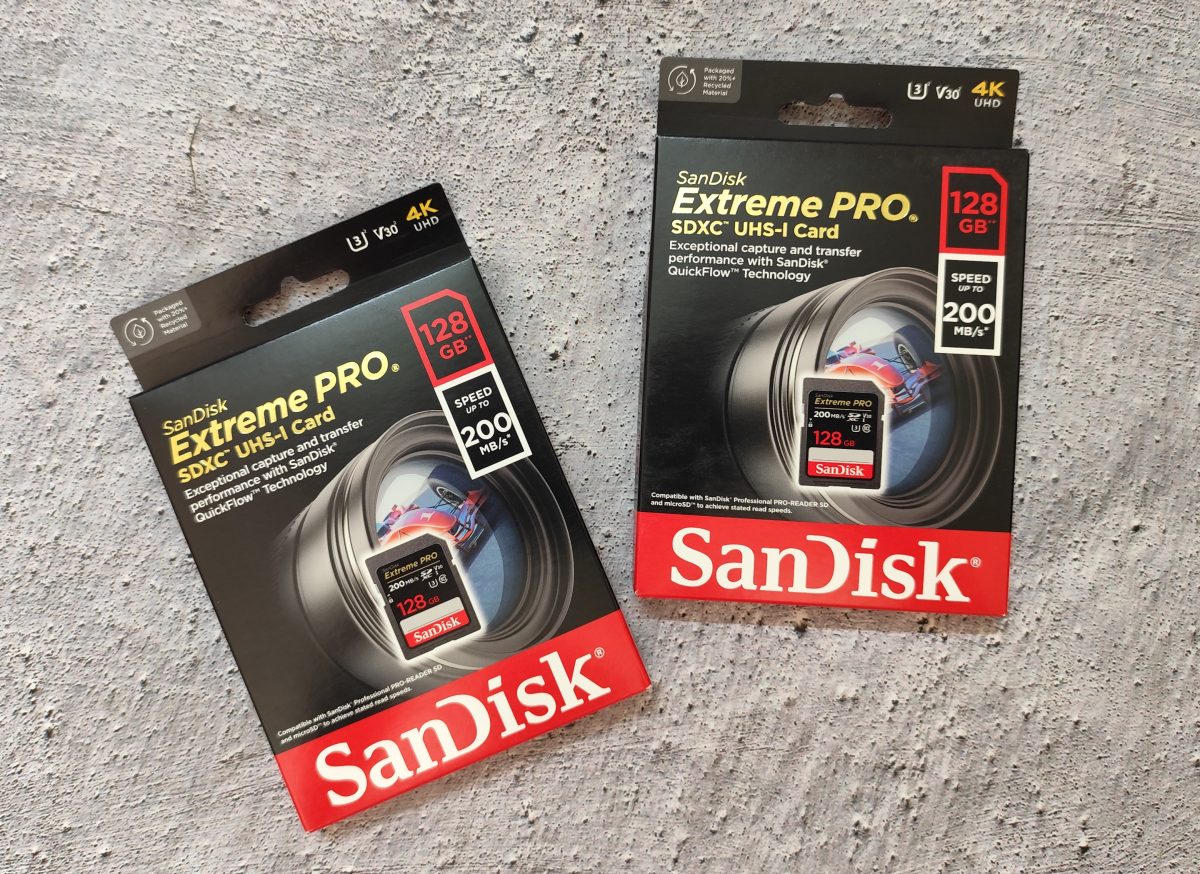
Separate the class from the headline speed
Inspect the card’s front label in good light. Find V30, the 3 inside a U-shaped symbol, the 10 inside a C-shaped symbol, and the separate Roman numeral I in the close-up. These are four different markings; the 64 GB capacity and large 95 MB/s figure are separate again.
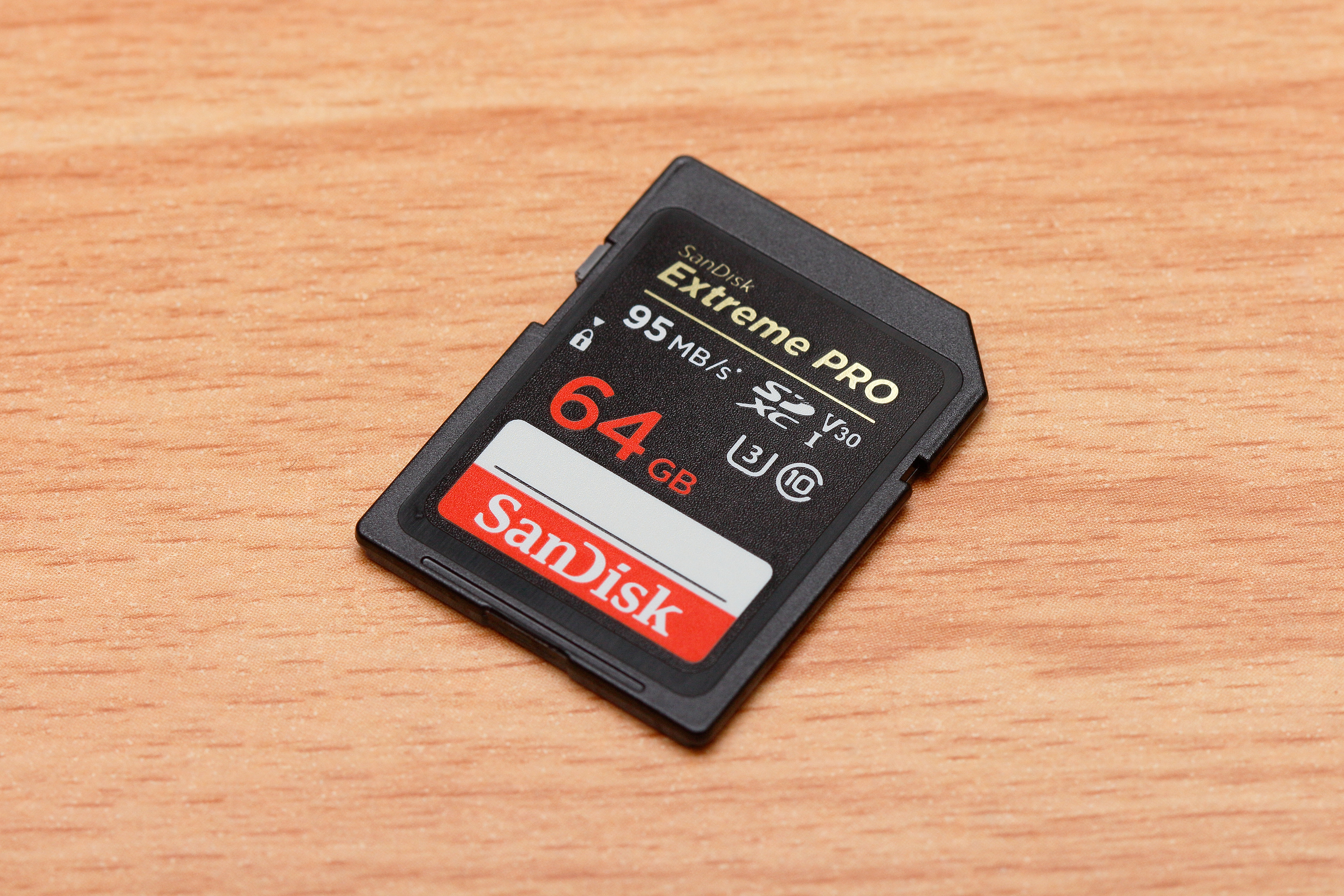
Read V30 at the upper right, U3 below it, C10 beside U3, and the separate Roman I below V30. The large 95 MB/s figure and 64 GB capacity are different fields. This card does not satisfy the α6700 V60 example.
Version notes
Physical hardware photograph taken 24 November 2016; the class symbols are checked against current SD Association definitions on 2026-10-31. This is a label-inspection reference, not a current product recommendation or a camera interface capture. Display photograph resized for loading speed; the full-size link preserves the original download.| Mark | Minimum sequential write rate |
|---|---|
| C10: 10 inside C | 10 MB/s |
| U1: 1 inside U | 10 MB/s |
| U3: 3 inside U | 30 MB/s |
| V10 / V30 / V60 / V90 | 10 / 30 / 60 / 90 MB/s respectively |
The SD Association’s class guidance specifies minimum performance under defined conditions. Match the class family the manual requests: equal numerical rates in different families do not establish interchangeability. If it asks for V30, seek V30 or higher within that family. If it asks for U3, check for U3.
The Roman numerals I and II identify UHS bus generations, not U1 and U3 recording classes. V60 and V90 require UHS-II mode or faster. A Roman II by itself does not say V90; look for the actual recording-class mark too.
Read the manufacturer’s specification for the exact product and capacity to interpret a bare MB/s claim. In Sandisk’s Extreme UHS-I data sheet, the 128 GB model has up-to figures of 230 MB/s read and 120 MB/s write, alongside V30. These are that product’s specifications, not the specifications of the photographed cards. The sheet also says its above-standard UHS-I read speeds require compatible devices.
Reading transfers footage off the card; writing stores the recording. An up-to write figure still differs from a sustained class. Copy the class into your recording note rather than substituting the largest speed on the package. Capacity is another independent check: matching a speed mark does not establish support for an SDHC or SDXC card in your camera.
Match the manual’s row, not the word “4K”
Open the α6700 supported-card table. For ordinary movie recording with Proxy Recording off, Sony lists the following requirements. The bitrates shown are the table’s maximums, not a claim that every setting records at that rate.
| File format | Maximum listed bitrate | Card requirement |
|---|---|---|
| XAVC S HD | 100 Mbps | SDHC/SDXC, U3 or higher |
| XAVC S 4K / XAVC HS 4K | 280 Mbps | SDXC, V60 or higher |
| XAVC S-I 4K | 600 Mbps | SDXC, V90 or higher |
The photographed V30 card therefore does not meet the listed V60 requirement for ordinary XAVC S 4K recording on this camera. A “4K” package badge does not change that. Sony supplies separate tables for proxy, S&Q and time-lapse recording; return to the appropriate table when you change those modes.
Use bitrate arithmetic as a sense check. In a hypothetical 200 Mbps recording, dividing by eight gives 25 MB/s before additional recording overhead. Ten minutes would contain about 15 GB at that constant rate: 25 × 600 = 15,000 MB, using decimal units. That explains why capacity and sustained writing both matter.
It does not authorize choosing V30 for an α6700 mode whose table requires V60. A numerical estimate cannot replace the camera’s stated requirement. Put a clear result in your note: “matches this mode” or “does not match,” with the manual’s class beside the card’s marking. If they conflict, change the card or deliberately choose another documented mode before the shoot.
Prepare the card, then make a rehearsal recording
- Preserve existing recordings first. Copy them to independent storage and open important clips there, checking picture and sound. If the card is unreadable and holds your only copy, stop before formatting; an erase prompt is not a recovery tool.
- For an α6700 card ready to erase, follow Sony’s Format instructions: MENU → Shooting → Media → Format, then Enter for quick formatting. Sony recommends in-camera formatting for first use. Check the card’s contents before confirming: formatting permanently erases protected images and registered M1–M4 settings too.
- Set the exact recording mode from your note and record a rehearsal representative of the intended take length. Check that recording continues without a card warning. Stop normally, let writing finish, and play back the saved clip; inspect its beginning, middle and end, including audio where recorded.
- Copy the rehearsal clip through the reader you plan to use and open that copy. Keep the original until the transfer is verified. Successful playback checks this rehearsal; it does not certify the card’s entire capacity or guarantee every future recording.
Do not remove the card while the access lamp is lit. Formatting may take several minutes. Sony also offers full formatting when recording or reading has become slow, but this still erases data and takes longer; canceling it partway does not restore erased files. Back up before considering either format operation.
If recording stops, preserve the evidence
Note the actual warning, selected mode and elapsed recording time. After writing has finished, preserve any saved clip before attempting repairs. Recheck your recording note against the relevant manual row, then try a known-good card that meets it. Avoid changing several settings at once: a repeatable rehearsal is more useful when you know what changed.
If a documented lower-demand mode works, treat that as a temporary shooting choice and record the new setting. Restore the intended mode only after fitting a qualifying card and repeating the rehearsal. Formatting cannot upgrade a V30 label to V60, and buying a faster reader cannot fix an unsupported recording class inside the camera.
If a qualifying replacement also fails, widen the investigation to the camera’s warning and support guidance instead of repeatedly erasing cards. A recording stop alone does not prove inadequate card speed. Keep the suspect card out of important work until the cause is understood, and leave irreplaceable unreadable footage untouched for recovery advice.
Sources, versions & scope
The steps describe the documented controls and expected checks; they are not a claim that every device or software release has been physically tested. Platform and version differences are stated with the procedure.



.jpg)