Data & privacy
Recover a file you accidentally replaced
Recover an overwritten file on Windows 11 using OneDrive history or an existing File History backup, preserve both versions, and check the recovered contents.
Search Knowligent
Search guide titles, summaries and subjects. No account needed.
190 guides to explore
Recover an overwritten file on Windows 11 using OneDrive history or an existing File History backup, preserve both versions, and check the recovered contents.
Use Windows 11 sleep settings, battery reports and an overnight comparison to separate standby activity, connected accessories and reduced battery capacity.
Verify an identity-document request, choose a confirmed upload portal or private Drive link, limit the copy you disclose, and close access after receipt.
Keep work and personal documents in the right Windows 11 locations: check OneDrive accounts, inspect folder backup, and verify copies before removing originals.
Wire one TP-Link Deco satellite, check the correct router-side connection, verify Ethernet backhaul, and isolate cable or switch failures without resetting the mesh.
See what encrypted DNS hides, what its provider can still learn, and how to try Android Private DNS while keeping a clear route back if browsing breaks.
Choose UTF-8 TXT or simple Markdown for lasting notes, then check filenames, accented characters and attachment links with a Windows 11 practice file.
Build a narrow Gmail filter, check it with labels before archiving, and recover messages when a rule hides mail you still need to read.
Compare coverage, Ethernet backhaul and wireless mesh links, then plan a reversible addition without assuming matching network names guarantee seamless roaming.
Find why downloads disrupt calls, compare idle and loaded latency, separate Wi-Fi trouble, and try reversible bandwidth limits or OpenWrt SQM settings.
Use Google Docs to separate decisions from open questions, give actions owners and deadlines, confirm commitments, and keep a useful record of later changes.
Recover a Windows 11 laptop with a dark screen, separate display trouble from failed resume, and isolate power, lid and dock triggers before changing settings.
Identify two routing layers, distinguish provider NAT, and switch TP-Link Deco to Access Point mode only after checking which gateway will protect your network.
Cross-check a Google Sheets total with a fresh selection, numeric counts, hidden-row rules and original records, then repair the cause of any mismatch.
Evaluate OneDrive personal storage by deleted-file recovery, version history and bulk rollback, with practical checks and clear limits before you choose a plan.
Use browser resource views and a repeatable workload to investigate slow tabs or extensions, preserve unsaved work, and change one reversible setting at a time.
Plan your broadband handover, router position, cable routes and equipment box before moving, then use a clear arrival test to find problems early.
Adjust your Windows 11 mouse and keyboard one annoyance at a time, with practical checks for pointer control, scrolling, typing and easy recovery.
Protect a Windows 11 Pro drive with BitLocker, save a matching recovery key outside the PC, and check you can retrieve it before a startup failure.
Set up separate standard accounts on a shared Windows 11 PC, check file separation, hand over sessions safely and understand recovery and removal limits.
Use Photos on iPhone to exclude location from a share, remove a saved place, and check the outgoing copy before sending a sensitive picture.
Choose between an attachment and a controlled link, account for message encoding, and verify recipient access without making private files public to fix delivery.
Spot physical battery swelling, stop charging a Windows 11 laptop safely, and arrange repair or disposal without risking another startup for your files.
Choose backup scope, recovery timing, independent copies, and protected keys, then rehearse a small restore before relying on a completed backup notification.
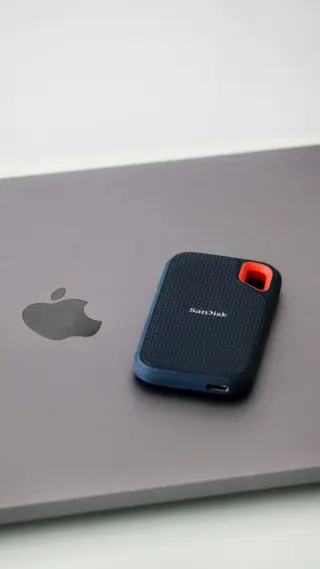
Choose an SSD for Apple Photos on a Mac by planning capacity, matching the connection and checking the new library before retiring your original copy.
Keep one Google Docs working link, name meaningful milestones, recover missing passages safely, and separate editable drafts from issued copies.
Assess unexpected links, QR codes, attachments, and payment changes through independent verification rather than relying on grammar, familiar branding, or urgency.
Choose router positions by testing occupied rooms, physical obstructions and cable safety, with a repeatable comparison that keeps settings unchanged.
Move Google Authenticator codes to a new Android phone, check every account with a fresh sign-in and keep recovery options ready before erasing the old device.
Find Google Account sessions, interpret unfamiliar devices and activity times, sign out old access, and know when to review security events and linked apps.
Compare your ASUS router’s WAN address with its public IPv4, distinguish CGNAT from double NAT, and choose a workable route to your home devices.
Keep a Windows 11 laptop useful when power fails: save work, lower demand, prepare offline files, check backup charging and stop with charge to spare.
Compare two Word drafts in a separate review copy, inspect changed wording, and accept or reject edits without overwriting the files you received.
Export Google Photos to a Windows PC, keep metadata beside your pictures, check the files offline, and test a move before trusting another cloud gallery.
Reduce a PDF in Acrobat Pro for Windows, protect fonts and document features, and compare small print before accepting a compressed copy.
Organize a shared Windows 11 PC with clear file handoffs, fewer startup interruptions, safer cleanup choices and a maintenance routine the family understands.
Use the eero app to identify busy devices, compare upload and download activity, and test whether pausing one transfer fixes a household slowdown.
Check address-to-detail pairings in Word and Excel, test through classic Outlook, and release a verified recipient list without repeating a mistaken send.
Find an accessory missing from Windows 11 Bluetooth, distinguish pairing trouble from a missing radio, and recover without clearing working connections.
Compare DNS answers on Windows 11, check Chrome’s lookup path, and separate naming failures from website errors before changing network settings.
Change a TP-Link Archer admin or Wi-Fi password, preserve a wired route into settings, reconnect household devices and recover without an unnecessary reset.
Turn an old Google Pixel into an offline document reader. Copy PDFs from Windows over USB, switch off wireless connections and verify access after restarting.
Keep a video excerpt with LosslessCut on Windows 11, understand keyframe limits, and check the exported picture and sound before deciding to re-encode.
Save sharp text screenshots as PNG in Windows 11, protect a master copy, and find whether capture, resizing or the sharing app made the delivered text blurry.
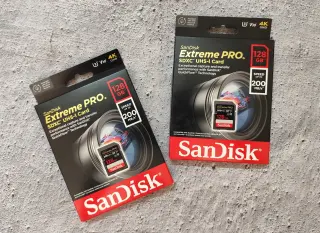
Decode V30, U3 and UHS labels, match a card to your camera’s recording mode, and check a rehearsal clip before trusting it with important video.
Choose the right layer for larger text, clearer controls and keyboard navigation, then test real tasks and keep a simple way to reverse each accessibility adjustment.
Trace slow Steam downloads on Windows 11 through rate units, disk activity, bandwidth limits and server regions, then gather evidence for support.
Set up TP-Link Archer guest Wi-Fi, keep local-access permissions off, and check that visitors can browse without reaching a household file share.
Use call statistics and controlled load comparisons to distinguish delay, jitter, loss and device trouble without treating one speed result as a verdict.
Set up distinct Work and Personal profiles in Chrome, verify the account behind each window, and fix mix-ups without deleting useful browser data.
Compare JPEG, PNG, WebP and SVG by image content, transparency and destination support, while preserving an editable master and checking the exported result.
Separate steady audio delay from interruptions, microphone-mode changes and network buffering, then compare controlled playback routes without forcing hidden settings.
Tell sorting aliases from private forwarding masks, create a Firefox Relay address, check delivery, and stop unwanted mail without losing account access.
Set up Google Family Link for a child’s Android device, check daily and app limits, keep essential apps available, and handle website requests and exceptions.
Give household calls room to work: pause competing transfers, lower Google Meet video demand, compare Ethernet, and restore temporary changes afterward.
Audit old Google Drive project links, remove access that has ended, check published documents, and verify the archive still reaches the people who need it.
Use dupeGuru on Windows 11 to protect the copy you need, review content matches, and remove small batches with a checked Recycle Bin recovery route.
Choose a naming convention that fits your retrieval habits, separate working files from issued copies, and verify links and version history before reorganising folders.
Reduce an AI task to the information it actually needs, use synthetic examples, check account-specific retention policies, and verify generated facts before reuse.
Prepare a Google Pixel for repair: check backups and account access, use Repair mode or erase deliberately, and verify the phone when it comes back.
Repair Word heading styles, remove stubborn formatting overrides, control pasted text, and check that the document stays consistent after reopening.
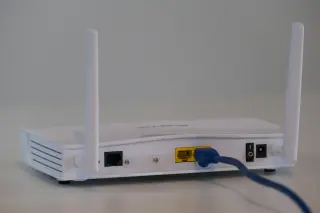
Identify the modem, router and access point in your home by tracing cables, reading labels and checking operating modes before replacing the wrong device.
Coordinate backups for a household of iPhones and iPads: share storage, check every device, assign responsibility, and prepare a practical recovery plan.
Match a Windows laptop dock to your actual host port, simultaneous monitor modes and charging needs, then check the whole desk before the return deadline.
Recover Google, Apple or Microsoft access after losing your phone. Find surviving sign-in methods, follow the right recovery route and avoid restarting waits.
Use Signal for Android to distinguish local deletion, deleting for everyone and disappearing messages, then check saved files and backup recovery limits.
Separate listening comfort from microphone clarity, inspect headset fit, and compare candidates in Teams before the return window closes.
Choose Cat 5e, Cat 6 or Cat 6A by port speed and cable length, spot weak product listings, and check a new wired connection before routing it.
Set up guest access on a network you administer, test device reachability safely, and distinguish internet access, local sharing and client isolation.
Check a Mac Time Machine backup with a safe file restore, verify the archive copies you will keep, and understand when deleting originals removes your easy undo.
Verify a breach warning in Chrome, identify reused passwords, replace affected logins, and recognize when Google Account intrusion calls for a wider response.
Check battery wear, rule out charging faults and compare a complete repair quote with replacing the laptop, then verify that service fixed your real problem.
Hide iPhone notification text until you unlock, remove sensitive apps from the Lock Screen, and check the result without Face ID confusing the test.
Recover missing windows in Windows 11, align your display map, fix awkward scaling, and check what happens when you disconnect a second monitor.
Set up Excel dropdowns and quantity limits, check values that slip through pasted data, and repair rules without losing track of valid exceptions.
Set file audiences and roles deliberately, check folder inheritance and expiration, and revoke future access without assuming downloaded copies can be recalled.
Understand what DNS resolves, compare browser and system behavior safely, and collect useful evidence before changing resolvers or blaming a VPN.
Prepare a PowerPoint deck for projection: fix slide proportions, enlarge essential text, simplify charts, and check readability from the back row.
Learn how synchronized folders handle deletion and overwrites, test file versions with disposable documents, and build a recovery copy outside the sync chain.
Choose a portable note system by checking readable text, working links and complete attachments with a small Obsidian exit rehearsal on Windows 11.
Move files from a Mac to Windows 11 using a separate transfer drive, check cloud downloads and photo exports, and keep a recovery route until daily work passes.
Build a family iPad storage budget from games, school files and offline downloads, then compare capacities and check the choice during a permitted trial.
Set up a clear VPN routine on Windows 11: check the route, choose kill-switch behavior, review exceptions and recover without assuming anonymity.
Use Acrobat Pro to apply PDF redactions, remove hidden information, and check the saved release copy before sharing it. Keep recovery with a private original.
Build a readable Gmail signature, set browser defaults and Android mobile text, then check received messages for wrapping, missing details and broken links.
Move from Windows 11 to macOS 27 with a verified backup, a deliberate transfer and practical checks before you erase or retire the old PC.
Estimate a photo library’s first cloud upload, rehearse a folder in OneDrive on Windows 11, and leave bandwidth for calls while checking the finished copies.
Close a personal Google Account after checking saved records, moving dependent logins and understanding what an export and account recovery cannot preserve.
Audit camera, microphone, and location access by task, distinguish operating-system and browser controls, and test narrower permissions one change at a time.
Convert Mbps into file-transfer time, distinguish decimal GB from binary GiB, and build an honest planning range instead of trusting a headline connection rate.
Trace a Gemini answer to original evidence, inspect dates and qualifiers, recalculate numbers, and keep a clear record of supported and unresolved claims.
Set up an iPad for calmer reading in Apple Books, choose which alerts can interrupt, and restore normal notifications when the session ends.
Find whether a PDF problem comes from missing fonts, page dimensions or print scaling, then verify a copy without flattening or replacing the original document.
Read IPv6 addresses on a Windows 11 PC, compare IPv4 and IPv6 paths, and learn when a result points to your home router, your ISP or an inconclusive test.
Compare one iPhone across locations and busy hours, try a reversible LTE check, and collect useful evidence before blaming reception or carrier congestion.
Prepare Bitwarden on Windows for offline access, rehearse unlocking without internet, and preserve the local vault when connectivity fails.
Isolate a Firefox-only website failure on Windows 11, test extensions and site protection, clear only affected data, and report a reproducible problem.
Clean a MacBook keyboard and display with the right cloth and liquid, handle nano-texture glass separately, and know when a stubborn mark needs service.
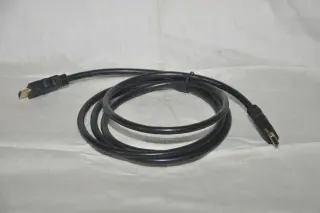
Connect a Windows 11 laptop by HDMI, restore cropped desktop edges with the TV’s picture-size controls, and adjust text size after the picture fits.
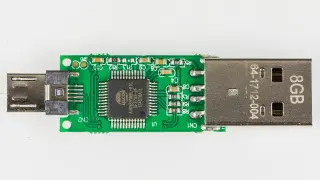
Check a USB flash drive on Windows 11: protect its files, isolate connection faults, read disk status, and compare saved data before trusting it again.
Use a controlled Ethernet comparison to separate local Wi-Fi problems from a wider connection slowdown, then collect evidence your provider can act on.
Repair dates imported into Excel for Windows by separating display problems from swapped months, preserving source text, and applying the right locale.
Trace a Windows 11 no-internet problem through device comparisons, IP addresses, gateway replies and DNS checks, then choose a targeted recovery step.
Check account access, recovery keys, app-specific data and a verified restore path before a reset, with a clear decision gate for keeping or handing on the device.
Distinguish ordinary workload warmth from thermal warnings or battery damage, then reduce avoidable heat safely without defeating protections or guessing at limits.
Find out whether Windows 11 monitor blur comes from resolution, application scaling or the connection, with reversible checks before replacing hardware.
Save GitHub recovery codes in protected, reachable storage, label the current set, rehearse finding it and replace outdated copies without losing your fallback.
Set up an Ethernet-fed cellular backup on a compatible ASUS router, rehearse a broadband outage, and check work recovery, data use and the return to normal.
Find out whether photos remain in recovery bins, cloud libraries or local downloads, then reclaim phone space without accidentally deleting your only copy.
Build a timestamped Windows 11 outage record with device comparisons, short command results and a clear ISP handoff, while preserving evidence before restarts.
Prepare saved files, verified backups and a restart window before updating, then check essential tasks afterward and understand why rollback is not guaranteed.
Compare Wi-Fi bands through compatibility, obstacles and local conditions, while keeping regulatory channels and country-specific equipment limits in view.
Build a capability checklist for USB-C ports, cables and docks so charging success does not become a mistaken promise of fast transfers or a working display.
Calculate a video size budget using duration, video and audio bitrate, then check codec compatibility and real export quality before sending the finished file.
Build a Google Docs troubleshooting master with clear checks, recorded results and stop rules, then copy it for each incident without overwriting the template.
Test your microphone in Windows 11 and Zoom, listen for clear speech, fix device and permission mistakes, and keep a working setup ready for the call.
Separate router speed classes, negotiated Wi-Fi rates and real downloads, then inspect Windows 11 connection limits before paying for an upgrade.
Build an automatic contents table in Word for Windows, fix missing headings, and choose the right update so titles and page numbers stay accurate.
Design repeatable speed tests with consistent devices and endpoints, interpret variation honestly, and check data use and privacy before sharing results.
Compare screen size, pixel density and scaling with your actual documents, then check connections, positioning and return terms before choosing a work monitor.
Prepare an ASUS router update with offline firmware, a settings backup and a Windows rescue route, then verify the version and restore everyday connectivity.
Set up a trusted password manager, replace reused passwords gradually, and prepare recovery routes that remain usable when your main phone or vault is unavailable.
Identify devices signed in to your Apple Account, remove old or unfamiliar access, and keep trusted sign-in routes and lost-device protection intact.
Use Google Calendar on the web to choose a reference city, compare local dates and hours, send one accurate invitation, and check recurring meetings.
Set up a private Trello board with four clear lists, accountable task owners and a short weekly review that keeps shared work visible and manageable.
Import identifiers, dates and amounts without silent conversion, keep source values beside calculations, and use small checks to expose errors before sharing.
Compare hotspot and home broadband costs, data limits and household needs, then run a practical trial before cancelling your existing internet service.
Build a Google Sheets pivot around a spending question, check its totals with a small example, and fix filters or source ranges that hide new purchases.
Connect a GL.iNet travel router with hotel permission, complete the captive portal, restore VPN and DNS protections, and remove the saved network at checkout.
Trace an iPhone SIM swap failure through card fit, carrier locks and activation, then check the right line without deleting an eSIM or erasing the phone.
Export a local print shop’s production PDF from InDesign on Windows, checking trim size, bleed, fonts, color requirements, and the final proof.
Structure a Word document for screen-reader navigation, clarify tables and links, and check whether someone can find and use the information they need.
Give a used Windows 11 laptop a clean start: prepare official USB media, resolve old business enrollment, then verify activation, updates and basic hardware.
Read long web documents in Firefox on Windows 11: enter Reader View, adjust text, find passages and recover when content or the reading button is missing.
Compare busy-hour demand, upload limits and a simple wired check before paying for more speed. Choose a tier that fixes the capacity your household lacks.
Use ASUSWRT logs to separate routine renewals and blocked packets from connection failures or suspicious changes, then save useful evidence for support.
Separate refresh rate, frame rate and response time, check the whole connection, and verify resolution and Hz together in Windows 11 before keeping a monitor.
Choose a multiport USB-C charger by its simultaneous power split, match cables to each device, and check the complete setup before keeping it.
Build a small Google Drive emergency packet with contacts, selected documents and clear instructions. Test your helper’s access and plan for an offline copy.
Trace Windows 11 laptop fan noise to workload, airflow or a possible fault, then compare one reversible power setting and know when to seek service.
Use Windows 11 ping samples to compare your gateway and internet paths, check Ethernet, and report missing replies without blaming the wrong device.
Build a household streaming budget, count screen-hours, adjust Netflix quality and compare estimates with your provider’s remaining data allowance.
Find out whether a charge limit, overnight schedule or temperature pause is stopping your phone at 80 percent, and how to request a full charge.
Review desktop Chrome extension permissions, match access to useful features, restrict websites, and recover carefully when a needed function stops working.
Review Windows 11 work-app permissions, distinguish website access from administrator approval, and make reversible changes or send IT a precise support request.
Read power-bank labels, convert capacity to watt-hours, budget realistic phone top-ups, and check USB-C output power before choosing a pack.
Prepare backups and account recovery, choose the manufacturer procedure for your exact device, and verify the handoff without relying on generic erase commands.
Estimate hotspot data from total bitrate and duration, control optional background traffic, and keep metered settings distinct from a carrier-enforced limit.
Check a used Chromebook’s exact support deadline, verify the date in Settings, and spot extended-update limits before paying for a second-hand device.
Choose WPA2, WPA3 or transition mode on an eero home network, verify each device’s actual connection, and recover safely if older equipment stops working.
Catch a daily outage on Windows 11, compare router and internet reachability, read the wireless report, and test one scheduled trigger at a time.
Register and test two security keys for a personal Google Account, store backup codes safely, and know how to revoke a lost key without destroying credentials.
Understand battery aging, charge cycles and heat, then choose practical charging habits without chasing a universal percentage rule or treating estimates as tests.
Recover Chrome bookmarks on Windows from your Google Account or an HTML export, find imported folders, and verify the links before retiring the old computer.
Create a searchable copy of a scanned PDF, choose recognition settings deliberately, and verify critical fields while keeping confidential documents in approved tools.
Release a busy webcam in Windows 11, check app permissions, test one preview at a time, and enable camera sharing only when you need two apps.
Use a ten-minute Windows 11 routine to file useful downloads, remove clear leftovers and track undecided files while preserving recovery options.
Prepare a Google Sheets handoff with agreed regional settings, clear dates and currency, and a small recipient check that catches misread values.
Keep an unexpected attachment closed, verify the sender separately, and inspect or scan an existing Windows 11 download without mistaking a clean result for trust.
Review Google Account app connections, distinguish sign-in from data access, and remove unused permissions while preserving a way back into services you need.
Use Windows 11 and Chrome on café or hotel Wi-Fi: verify the network, handle access portals, keep HTTPS warnings and remove the saved connection.
Clean a small CSV in LibreOffice Calc while preserving product codes, reviewing duplicate records, and keeping missing quantities distinct from zero.
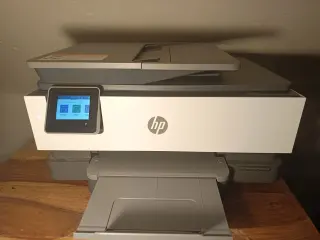
Reconnect an HP touchscreen printer to your new Wi-Fi, restore its Windows 11 printer entry, and use the current IP address when automatic discovery fails.
Pair a 2.4 GHz smart plug or bulb on eero, restore the higher Wi-Fi bands, and check connection details or encryption when setup still fails.
Trace unwanted iPhone touches through moisture, cases, screen protectors and charging accessories, then restart safely and know when to arrange service.
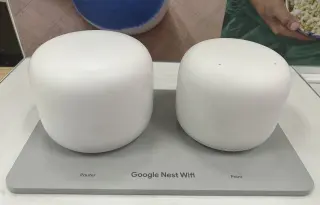
Rename a Google Nest Wifi network, reconnect a smart speaker, check every accessory, and restore the old name if the household cannot reconnect.
Compare exFAT, NTFS and APFS for shared files, backups and encryption, then inspect an existing drive safely before considering a format that erases its contents.
Set up a travel eSIM on iPhone, choose the right data line, control home-number roaming risks, and check activation, allowances and settings after returning home.
Prepare a clean Windows 11 tutorial, limit Snipping Tool capture and audio, rehearse revealing dialogs, and inspect the saved video before sharing it.
Uninstall an app on Windows 11, preserve useful files, inspect leftover startup entries, and compare disk space without blindly deleting shared folders.
Check Windows 11 installers for optional offers, distinguish extras from required components, and remove unwanted apps while verifying what changed.
Pause before a QR login, inspect the destination on iPhone, verify the request independently, and recover a Google Account if you exposed credentials.
Set up an Apple Passwords group on iPhone, check that family members can sign in, recover deleted entries, and end access when household needs change.
Find a Windows 11 PC’s local IP address without an online lookup, identify the right adapter, and share only the details a support case actually needs.
Tell memory pressure from a full or busy drive using a repeatable workload, resource observations and reversible changes before deciding what hardware to replace.
Test a refurbished iPhone against its listing, check activation, repair history and everyday functions, and preserve evidence before the return deadline.
Use browser storage controls precisely, preserve unfinished work, and understand what private windows change locally without mistaking them for online anonymity.
Distinguish cloud copies, upload quality, optimized device storage and library deletion before removing the local photos you may need to preserve.
Write image descriptions that carry the right message, add them in Word for Microsoft 365 on Windows, and give charts a readable text equivalent.
Use Signal on Android to understand encrypted backup keys, media limits, setup and restoration, and the decisions that can close your recovery route.
Understand what passkeys protect, how two-step methods differ, and how device or account recovery changes your sign-in plan before replacing existing credentials.
Build a dependable Windows 11 desk connection, check calls under normal household load, and leave yourself a tested recovery route before work is interrupted.
Protect a missing iPhone with Find Devices, understand offline locks and erase requests, then restore access and service carefully after recovery.
Review iPhone tracking permissions and Apple ad personalization, confirm your choices, and understand missing controls and the limits of each setting.
Export selected Google account data on a Mac, account for every download, and check encrypted archive copies before removing loose personal files.
Recover a missing public Wi-Fi sign-in page on Windows 11 with Firefox, check reversible fixes, and know when the venue must repair your access.
Keep untouched HEIC originals while exporting JPEG copies on Mac. Use Preview or Photos, check quality and metadata, and recover safely from a bad conversion.
Use Quick Start to move from an old iPhone, then check photos, messages, files and account access before you erase or trade in the original phone.
Stop fake support requests on Windows 11, understand Quick Assist permissions, end unwanted remote access, and recover exposed accounts or payments.
Map Wi-Fi reception at real working spots with a MacBook, record signal strength and serving radios, then repeat the same route to check one change.