Choose for both ends of the call
A headset can make your room sound wonderfully quiet while sending your colleague every keyboard tap. Before buying, separate two requirements: hearing the other person comfortably and delivering understandable speech from your microphone. A claim about active noise cancellation, or ANC, does not settle both.
For frequent desk calls in a noisy shared room, start your shortlist with headsets that have an adjustable microphone boom. Then compare comfort, connection and listening isolation. Earbuds or music headphones may still win if portability matters, but they need to pass the same outgoing-speech check. This guide uses Teams desktop on Windows for that comparison; it does not rank particular models or claim laboratory results.
Write down your actual nuisance: a steady fan, intermittent typing or another person talking nearby. Also note whether you must move around during calls. Those details give a retailer demonstration or return-period trial a purpose beyond “does it sound nice?”

Translate the noise claims before paying
Jabra’s explanation distinguishes physical isolation, electronic ANC and microphone processing. The first two address sound reaching your ears; the third affects what the remote listener receives. Its earbud documentation also acknowledges that microphones near the ears can face difficulties compared with microphones closer to the mouth. That is a useful design consideration, not proof that every boom headset beats every earbud.
- ANC and ear cushions
- Evaluate these when the room makes it difficult to hear. Check the seal with your usual glasses and hairstyle. Do not assume an ANC badge means nearby conversation will disappear.
- Noise-cancelling microphone
- Look for an explicit claim about outgoing calls. Ask to hear speech captured with the microphone active in background noise, rather than a demonstration of music playback.
- App noise suppression
- This adds another variable. A clear Teams call can reflect the app’s processing as well as the hardware. Compare candidates using the same app settings.
Ignore microphone count as a standalone buying score. Ask instead whether the listener can understand complete sentences while the actual nuisance is present. A recording with silent gaps that sound clean can still hide missing words once you start speaking.
Inspect the boom and wear it long enough
Inspect where the microphone capsule sits relative to the corner of your mouth. Adjust the headband first, then move the boom using only the joints or flexible section permitted by its manual. It should stay in position when you turn your head, without rubbing your cheek or clothing.
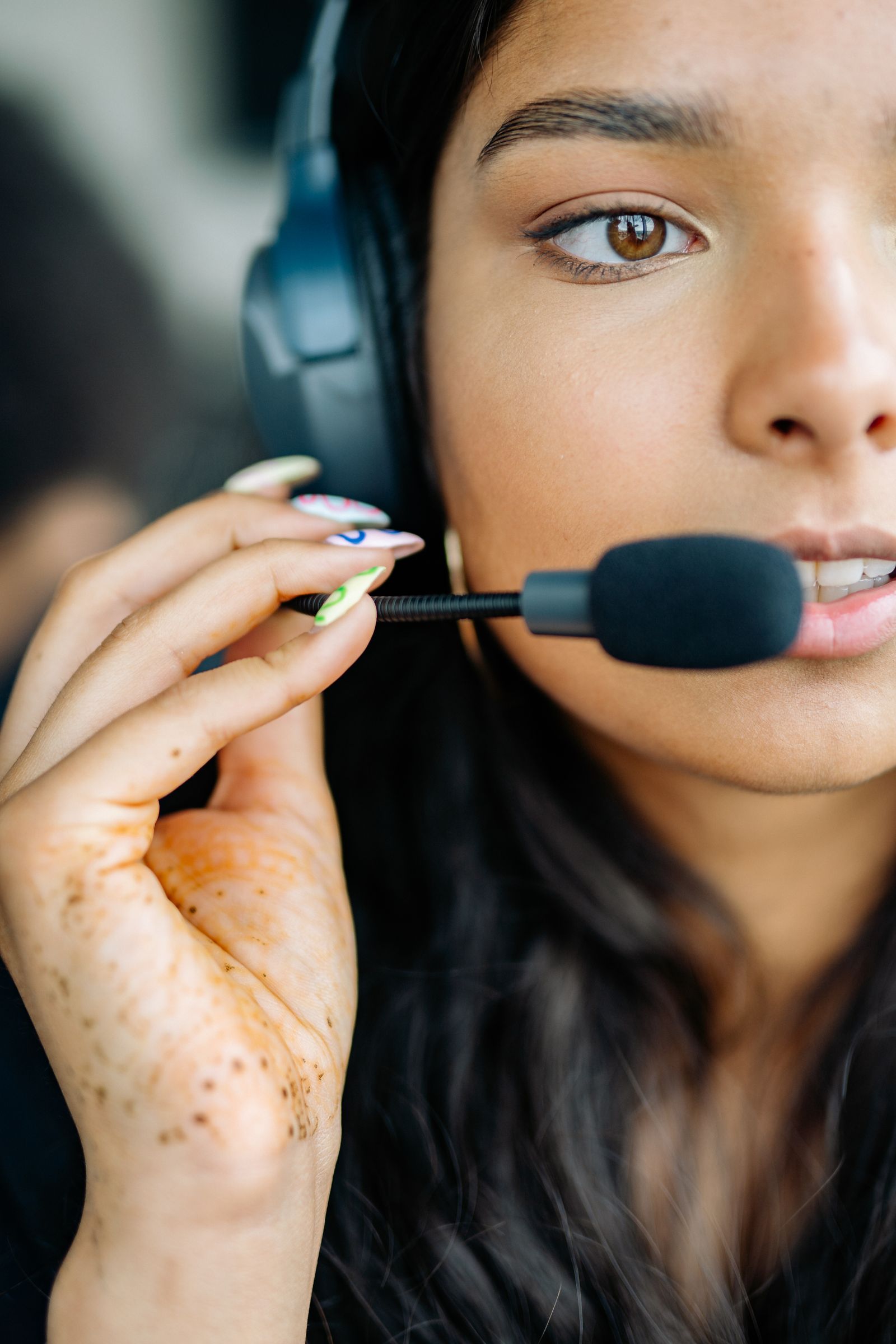
Inspect the boom and capsule position on your own headset. This close-up identifies the parts; it does not establish a measured gap or the microphone performance. Follow your model’s adjustment instructions.
Version notes
Real Pexels photograph published July 23, 2021, checked 2026-10-31. Generic physical inspection illustration, not versioned software or an identified current headset model.Jabra recommends roughly one to two finger widths between mouth and microphone where the boom design permits. Treat that as guidance for the documented design; follow your candidate’s own instructions. Do not force a rigid arm to achieve a distance shown for another headset.
Speak normally and listen for breath bursts on words beginning with P or B. If those dominate, reposition the capsule slightly away from the direct airflow, within the permitted adjustment. If the voice becomes faint, restore the earlier position and repeat. Shouting can disguise a poor fit during a short shop demonstration.
Wear the candidate through a realistic stretch of desk work before deciding. Notice pressure on glasses, heat, slipping and whether you keep lifting an earcup to hear yourself. Check whether the model offers sidetone, which feeds some of your own microphone sound back to you, and try it if available. Comfort is a reason to reject a headset even when its microphone passes.
Buy the connection you will actually use
A wired USB headset is a sensible starting point if calls happen at one desk and a cable is acceptable. For wireless candidates, check the exact computer connection: direct Bluetooth, an included USB adapter or a separate base. Confirm that the package includes the connector your laptop needs. A charging socket alone does not establish support for wired USB microphone audio.
Read the manufacturer’s compatibility list for your computer and call app. Check talk-time specifications separately from music playback time, and establish what happens when the battery runs low. If calls must continue while charging, verify that behavior in the manual and during your trial. Keep the receipt and return deadline; arrange a permitted demonstration if opened headsets cannot be returned.
Test the intended connection throughout the comparison. A result obtained with the supplied adapter does not establish identical behavior over direct Bluetooth. If an otherwise good candidate has connection trouble, repeat at the desk with its documented connection before rejecting its microphone.
Give each candidate the same short audition
Use the same Windows computer, Teams desktop app, seat and normal speaking volume for both candidates. This is a buying comparison, not a general microphone-repair procedure. If your existing headset already passes, keep it as the reference.
- Connect one candidate. In Teams, open Settings and more > Settings > Devices. Under Audio > Audio settings, select that headset explicitly in both Speaker and Microphone. Note the previous selections so you can restore them. Hearing through the headset does not prove its microphone is selected.
- Write down the noise-suppression setting and keep it consistent. Microsoft’s audio-settings guide describes Background noise only; its noise-reduction guide also documents a Noise suppression toggle. Use the control your client presents. If you cannot make the settings equivalent, mark the comparison inconclusive.
- Select Make a test call if available and follow its prompts. If unavailable, arrange a brief call with a willing listener. Settings may be restricted by your organization. Do not create a voice profile or pursue account enrollment just to complete this trial.
- Repeat a short sentence first in quiet, then with ordinary typing and the room’s normal background sound. An illustrative phrase is “Please send fifteen blue folders by Thursday.” Ask the listener which words were lost and whether background speech competed with yours. Avoid confidential material.
- Switch candidates and repeat, reselecting the microphone each time. Finally, have the listener speak while you check listening comfort at a moderate volume. Record incoming clarity and outgoing clarity separately.
If speech becomes chopped or metallic with suppression enabled, return to the previous setting and repeat the same phrase. Also recheck boom position. If both candidates break up at the same moments, the call connection may be confounding the trial; repeat later before spending money on that evidence.
Let the failed requirement decide
Choose the headset that preserves understandable words, makes listening comfortable and stays usable through your normal work. If both pass, choose on fit, movement needs and total cost rather than chasing a larger microphone count.
If nearby voices still dominate, try greater separation or a quieter room and repeat before the return deadline. A headset cannot guarantee that competing speech will vanish. If neither candidate passes in the room you must use, return within the seller’s terms or arrange another trial. Restore your earlier Teams device and suppression selections afterward so the comparison does not leave the next call using a disconnected microphone.
Sources, versions & scope
The steps describe the documented controls and expected checks; they are not a claim that every device or software release has been physically tested. Platform and version differences are stated with the procedure.