First distinguish a slow gain from a failing connection
A charging symbol tells you that the phone recognizes a charging connection. It does not tell you how much energy remains for the battery after the phone runs navigation, lights its display and maintains connections. A phone can therefore appear to charge throughout a journey yet arrive with little additional battery.
The useful question is which part of the car setup changes that outcome: the power source, cable, phone workload, temperature or wireless position. Diagnose those separately before buying a replacement battery.
Make observations while safely parked. Follow the vehicle manual for when its USB ports and accessory sockets receive power; a parked test with power switched off proves nothing. Never run a combustion engine in an enclosed space for a charging test.
- Steady indicator, slowly rising percentage: investigate available power and workload.
- Steady indicator, flat or falling percentage: repeat with less activity before concluding that charging has failed.
- Repeated connection sounds or disappearing indicator: investigate an intermittent connection or wireless placement first.
Record any warning exactly. On iOS 18 and later, Apple documents a Slow Charger message on the Lock Screen and under Settings → Battery; it does not itself mean something is broken. See Apple's charge-speed guidance.
Build a comparison you can actually interpret
Use a short log rather than remembering whether yesterday felt faster. Write down the phone model, starting percentage, source used, cable, screen activity, whether the phone feels unusually warm, elapsed time and ending percentage. Identify the exact car port, not just “front USB.”
For a practical observation window, choose about 15 minutes and use the same duration for each comparison. This is a suggested troubleshooting interval, not a manufacturer speed specification or a pass threshold. If the percentage stays unchanged, repeat for longer when practical; a rounded percentage can hide a small change.
Compare similar starting charge levels, comfortably below any configured limit. A near-full battery and a half-empty battery make poor comparison partners. If the phone reports a selected charge limit or scheduled pause, resolve that through the separate charge-limit guide before judging car performance.
Begin with an undamaged, compatible wall charger and cable at home, with the screen off. Record whether the percentage increases and charging remains connected. Then take that same cable to the car if its connector fits. If you must change cables too, record that limitation: the result now compares two complete setups, not just their power sources.
Follow the power path back to the vehicle
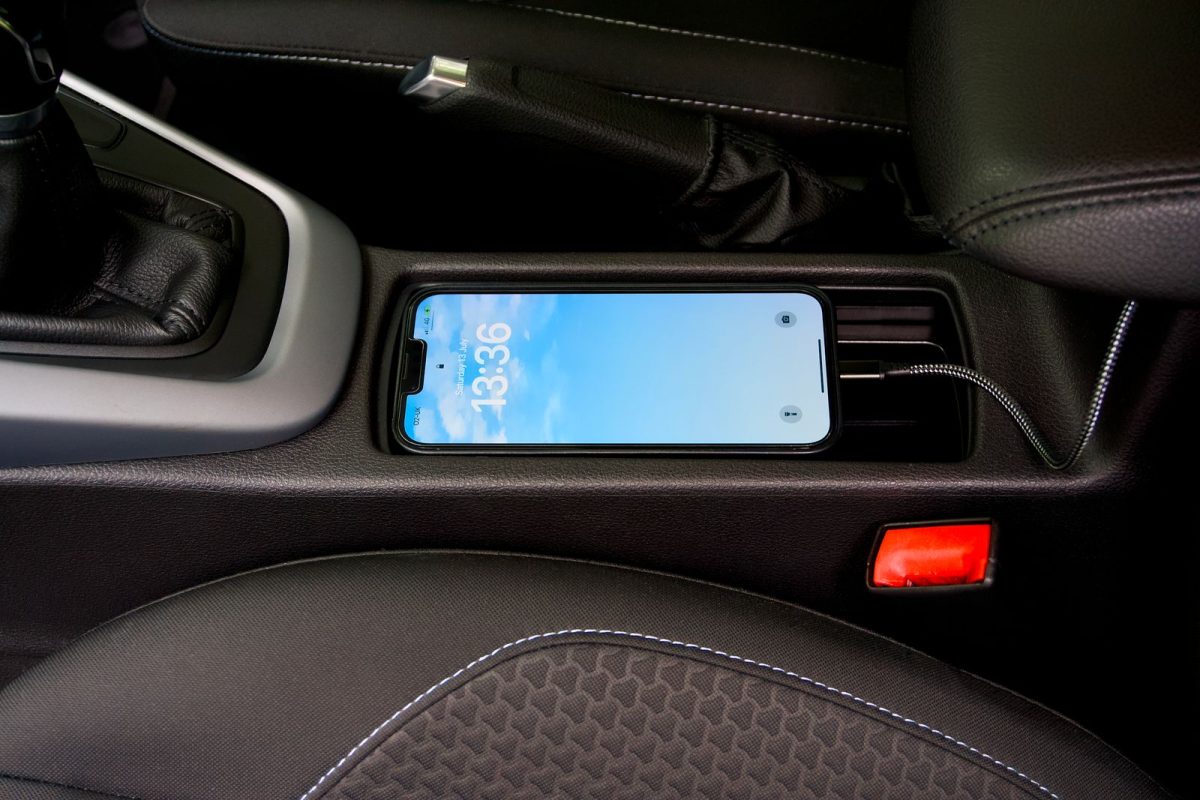
Identify whether power comes from a built-in USB port, a plug-in accessory-socket adapter or a wireless tray. Check the vehicle manual and charger label for the exact port's output and supported charging standards. A connector's shape alone does not establish its charging capability.
Apple notes that car USB ports can charge more slowly than dedicated USB-C chargers, and that multiple connected devices can reduce available power. Its faster wired option uses USB-C Power Delivery with USB-C for iPhone 15 and later, or USB-C to Lightning for earlier models.
For Pixel, Google lists PPS adapters rated at least 30W and other USB PD adapters rated at least 15W among compatible options. These are Pixel-specific compatibility guidelines, not a universal prescription for every Android phone.
If available, compare the built-in port with a compatible accessory-socket charger, keeping the phone and cable unchanged. Disconnect a second device from a multiport adapter for one comparison. Read per-port and simultaneous-use ratings rather than treating a prominently printed total wattage as the phone's guaranteed input.
Useful result: a repeatable improvement with the alternative source points toward the original power path. It does not establish that the original port is defective. If neither source works, continue with the cable and phone checks.
Change the cable without hiding the result
Unplug and inspect the cable ends, adapter and phone connector. Stop using damaged accessories. Apple's charging troubleshooting recommends firm connections, a direct connection without intermediate equipment when troubleshooting accessory alerts, and trying another cable or charger.
Remove an extension or hub from the trial. Check whether the case prevents full insertion. Look for visible contamination without scraping inside the phone; follow its maker's cleaning instructions or seek service if the plug will not seat.
Keep the source unchanged and substitute one compatible, undamaged cable. A stable connection with the substitute, followed by recurrence with the original, is stronger evidence against the original cable than a single successful reconnect. Do not bend or hold a damaged cable in a special position to keep using it.
If several cables disconnect at the phone end, especially if normal handling interrupts charging, arrange a port inspection. If a plug-in car adapter loses power or fits loosely, stop manipulating it and consult the vehicle or adapter instructions.
Separate the driving workload from the charging supply
Repeat the car observation while parked, with the screen off and navigation, streaming and hotspot use stopped. Keep the source and cable unchanged. Restore needed functions afterward.
A hypothetical example: a phone gains charge during this quiet trial but loses charge during navigation on the same source. That pattern suggests the setup cannot provide enough net charging under that workload. It does not identify a failed battery, nor prove which app consumes the most energy.
Temperature can complicate that comparison. Apple documents temporary charging holds in extreme temperatures. Google recommends cooling a warm Pixel, keeping its screen dark and checking airflow during wireless charging troubleshooting; it also notes that poor coverage can increase power consumption.
Move the phone out of direct sun and let it return to normal conditions before repeating. Do not interpret a cooler, shaded trial as a pure charger comparison if the earlier trial took place on a hot dashboard. Record both changes. If a temperature warning persists, stop the trial and follow the phone's warning instructions.
Treat the wireless tray as a separate suspect
If wired charging works but the tray does not, concentrate on the wireless pairing. Following the charger instructions, remove an interfering case or attachment and reposition the phone over the charging area. Check the indicator after placement and again after leaving it undisturbed.
For Pixel 10, 10 Pro, 10 Pro XL and 10 Pro Fold, Google specifically documents intermittent operation with some Qi1 car chargers. Its vehicle troubleshooting steps are to remove the phone and accessories, replace it centrally and check whether charging starts. Persistent issues call for wired charging and compatibility information from the vehicle or charger maker.
A hypothetical phone that charges only when manually held above a vertical tray has not reached a usable solution. Do not wedge it in place with improvised objects. A supported mount or wired connection is a more practical recovery. Success means stable charging in the intended position, with the case and everyday accessories you intend to use.
Validate the setup you need on the road
Return to the intended navigation and audio arrangement before calling the problem solved. Moving from the car's USB port to a separate charger may also change a connection used for phone projection. Check the vehicle's documented connection options; do not assume charging and data functions are interchangeable.
Set everything up before departing. On a normal journey, have a passenger observe or compare the starting percentage with the percentage after parking. Look for repeatable stability and enough remaining charge for your needs, rather than a promised number of percentage points per hour.
If the phone still loses charge, use the best stable compatible wired setup, reduce optional activity and arrange charging before departure. A setup that merely maintains charge may cover today's journey, but it cannot replenish a nearly empty phone reliably under the same workload.
Take the remaining fault to the right support team
If charging remains poor at home with compatible replacement accessories, restart normally and contact phone support. If it works at home but fails across the car's supported charging options, take the observation log to the vehicle or charger provider.
Include the exact port, adapter model, cable type, charging message, wireless case details and which single change affected the result. Without electrical measurements, these comparisons narrow the suspect path; they cannot certify socket voltage, charging wattage or battery health. That boundary helps you request the right inspection without replacing parts on a guess.
Sources, versions & scope
The steps describe the documented controls and expected checks; they are not a claim that every device or software release has been physically tested. Platform and version differences are stated with the procedure.