What could the counterfeit page ask you to hand over?
A password is a reusable secret. A unique password limits the damage from reuse across accounts, but a counterfeit page can still ask you to type it. A second step can stop someone who has only the password; it does not automatically stop someone relaying your whole sign-in in real time.
For example, an impostor can collect a password, submit it to the real service, and immediately ask the victim for the resulting verification code. The code can expire quickly and still be useful during that exchange. NIST’s authentication guidance explicitly distinguishes manually entered outputs from phishing-resistant authentication because those outputs are not bound to the particular session.
A passkey uses a cryptographic key pair associated with the service. The authenticator proves possession of the private key rather than revealing a reusable secret to a webpage. The protocol binds that proof to the intended service, so a lookalike domain cannot simply collect it and replay it at the real one. The FIDO Alliance’s passkey explanation describes this protection and the local PIN or biometric approval experience.
That is why counting prompts gives a misleading comparison. A passkey unlocked with a local PIN or biometric can combine possession with user verification. A password followed by an SMS code may show more screens while remaining phishable. A FIDO security key used as a second factor can also provide phishing resistance; “two-step verification” covers several mechanisms.
Ordinary approval notifications present another problem: someone may approve an unexpected request just to dismiss it. Number matching improves that interaction, but it is not equivalent to phishing-resistant sign-in. CISA describes number matching as an interim mitigation for organizations unable to deploy phishing-resistant MFA immediately.
Use the strongest supported method you can maintain. If a service offers only passwords and codes, keep a unique password and enable the available second step. Lack of a passkey option is no reason to leave that account with password-only access.
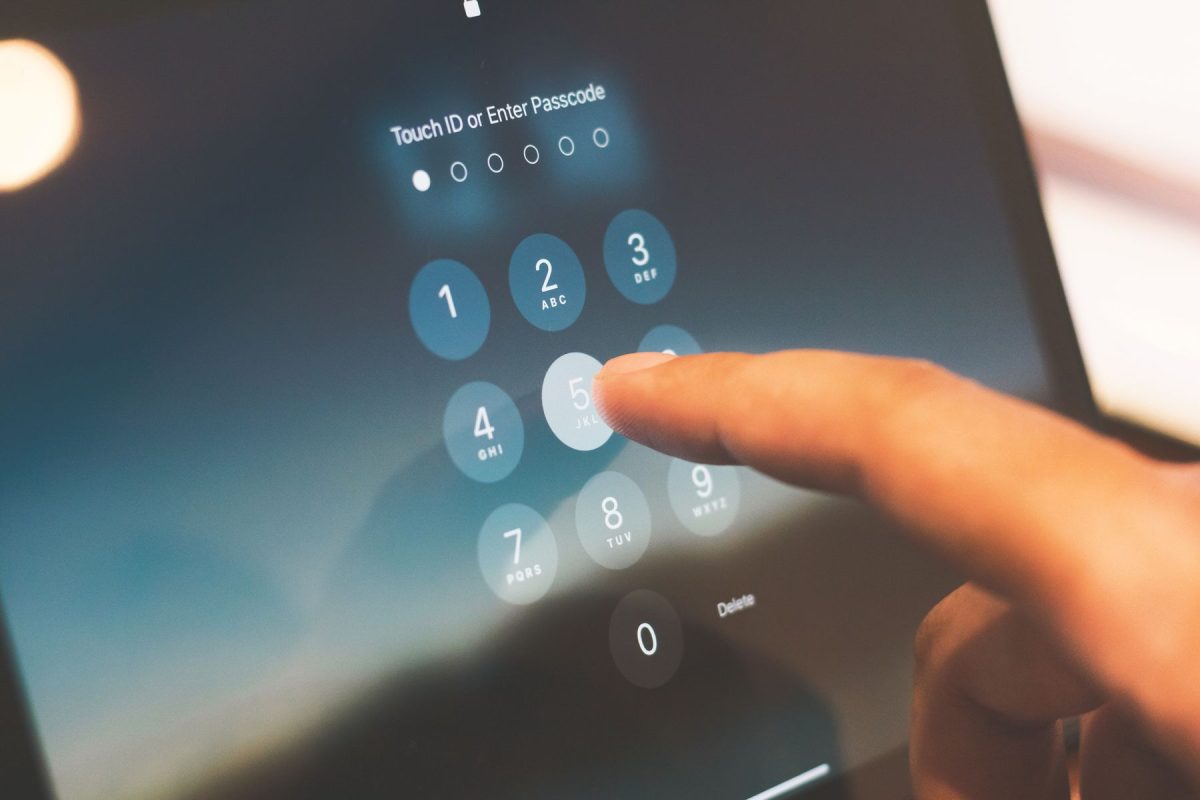
The storage decision changes the missing-phone morning
“Passkey” does not tell you where the credential lives. FIDO distinguishes synced passkeys, available through a credential provider across authorized devices, from device-bound passkeys that stay on one authenticator. Both can provide phishing-resistant sign-in. Their loss plans differ.
Consider a hypothetical reader, Maya, deciding between a synced credential manager and a FIDO2 hardware key. These are planning examples, not reports of tested accounts.
- If Maya chooses a synced passkey
She should identify the provider, confirm which other device can actually use the credential, and understand how a new device becomes authorized. Another laptop already holding the passkey may keep ordinary access available. If every authorized device disappears, restoring the provider becomes a separate recovery problem. Buying a new phone does not, by itself, establish access.
- If Maya chooses a device-bound passkey
She should plan for loss of that specific authenticator. Where the service permits, she can register another independent credential in advance and store it separately. A spare hardware key needs its own enrollment on each relevant account; an unopened spare is not automatically a copy of the working key.
Synced storage often suits someone who wants access across personal devices and can maintain the provider’s recovery arrangements. A device-bound credential can suit someone who wants that credential confined to particular hardware and can manage separately enrolled alternatives. Organization policy may decide which is allowed for work accounts.
Apple’s documentation makes the provider dependency concrete. Its iCloud Keychain guide describes synchronization across approved devices and recovery options when all devices are lost. Its escrow recovery route involves Apple Account authentication, a trusted phone number, and a device passcode. Those are Apple-specific requirements, not instructions for every manager.
Spot the fallback that secretly needs the same device
Write the recovery route as a sequence: “Reach mailbox → receive account recovery message → regain service access.” Then ask how you reach that mailbox. If its only usable credential is inside the manager you are trying to recover, the sequence loops back on itself.
Keep this record free of actual passwords and codes. Record the provider name, credential location, available alternate, protected location of recovery material, and date of the last successful test. Mark an assumption as untested rather than upgrading it to a promise.
Independence matters more than the number of entries. An authenticator app, text messages, and a passkey can all become unavailable with one lost phone. Two security keys carried in the same bag share a loss event. A recovery record stored only inside the account it unlocks cannot help you open that account.
For eligible Google accounts with 2-Step Verification, backup codes can replace the normal second step. Each code works once; generating a replacement set invalidates the old set. They are not a universal replacement for a forgotten password, and Google excludes downloadable backup codes under Advanced Protection. If you generate codes, protect them as credentials and keep your current copy clearly identified.
Fallback also affects the attacker’s route. A protected everyday passkey does not make an exposed recovery mailbox harmless. Retain working alternatives during migration, then review obsolete contacts and weaker routes individually. Removal should follow a verified replacement and the service’s instructions, especially where changing recovery settings introduces delays.
Make one enrollment prove something
Choose a personally controlled account and a device you own. Keep the working session available while adding and testing the credential. For a managed account, use the organization’s enrollment process and approved credential storage.
Here is a bounded Google Account example, based on its current passkey instructions:
- Open Google’s passkey settings independently and confirm the account. Choose Create a passkey. For this phone or computer, choose Create a passkey again; for a hardware key, choose Use another device.
- Inspect the storage choice before approving. Cancel if the provider or device is unexpected. Complete the offered local unlock and confirm that Google lists the credential.
- In a separate supported browser profile or another suitable personal device, attempt a fresh sign-in. Confirm the intended account opens through the new credential. Keep the original session available; do not rely on an already signed-in tab as evidence.
Google says enrollment preserves existing authentication and recovery factors, and new passkeys may require up to seven days before sign-in availability. Browser and platform support vary. If the test fails, retain the working route and investigate compatibility rather than deleting credentials.
A successful sign-in has a narrow meaning
One successful test establishes that the selected credential worked in that configuration. It does not establish recovery after every device is lost, portability to a different manager, or access after leaving an employer. Test an intended alternate through normal sign-in where practical, without erasing a device or deliberately exhausting access. Read the provider’s recovery requirements for the conditions you cannot safely rehearse.
Passkeys also leave device control important. Malware or a stolen active session can create problems outside the counterfeit-login scenario. Someone who can unlock your device may be able to use its credentials. Maintain a strong device lock and treat unexpected authentication requests as something to investigate through the genuine service.
Before retiring an old phone, return to the account you chose at the start. From the replacement environment, verify ordinary access and locate the alternate you recorded. Keep the old device available until those checks are complete. That is the moment when your sign-in plan becomes more than an enrollment confirmation.
Sources, versions & scope
The steps describe the documented controls and expected checks; they are not a claim that every device or software release has been physically tested. Platform and version differences are stated with the procedure.
- NIST SP 800-63B-4: Authentication and Authenticator Management
- Sign in with a passkey instead of a password — Google Account Help
- Sign in with backup codes — Google Account Help
- Google Account: See devices with account access
- FIDO Alliance: Passkeys
- CISA Releases Guidance on Phishing-Resistant and Numbers Matching Multifactor Authentication
- Make your passwords and passkeys available across devices with iPhone and iCloud Keychain