What would a new battery actually fix?
A laptop that still handles your work but lasts only an hour away from a socket can be a good repair candidate. A laptop with the same battery problem plus failing hinges, unreliable charging and software it can no longer securely run needs a broader calculation. Start by asking whether restoring portable power would make this particular computer useful again.
Write down the minimum you need: perhaps two hours of note-taking between outlets, dependable video calls and another year of use. Then list the faults that would remain after battery replacement. A new pack buys stored energy; it does not add memory, repair a damaged socket or guarantee continued software support.
The decision below separates a worn battery from a charging fault, then turns that evidence into a repair brief. You do not need to open the laptop to begin.
Stop if the enclosure has changed shape
Before running anything, look for a raised trackpad, a bulging base or new gaps in the case. These can indicate battery swelling. Dell’s guidance is to stop using the laptop, disconnect its charger and arrange service. Do not charge, compress, puncture or force out a swollen battery. Tell the service provider about the suspected swelling before bringing or sending it in.
This ends the home diagnosis. Do not power it back on just to obtain a report or finish a backup. Ask the repairer about data preservation and safe transport. A battery percentage or software health result cannot overrule visible deformation.
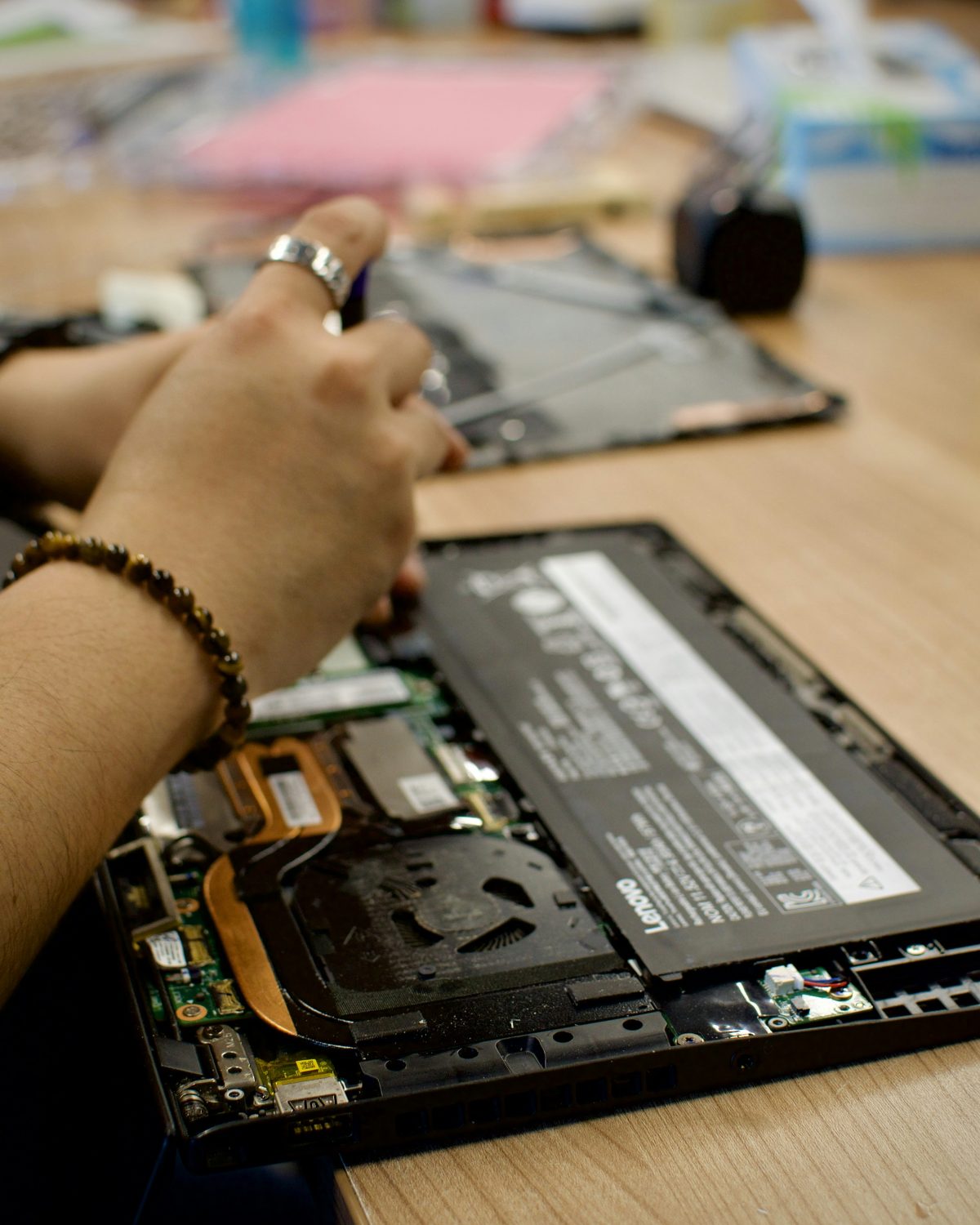
Collect two kinds of evidence: capacity and behavior
For an intact laptop, save your work and protect important files before troubleshooting. Record its exact model, the charger being used, whether it shuts down unexpectedly and whether the problem also happens while connected to power. Gradually shortened runtime and abrupt shutdowns are different symptoms; a quote should address the one you actually have.
Windows 11: save a battery report
- Open Start, search for Command Prompt, right-click it and select Run as administrator. Accept the Windows permission prompt if you are authorized to do so.
- Enter
powercfg /batteryreportand press Enter. The command displays the saved HTML report’s location. - Open File Explorer, navigate to that location and open the HTML file in your browser. Under Installed batteries, note Design capacity and Full charge capacity; keep the report for the repairer.
Microsoft documents this report workflow. If the command fails, check its spelling and the administrator step. If permission is unavailable on a managed computer, ask IT. Generating the report changes no charging settings; delete the saved report when you no longer need it.
Hypothetically, 36,000 mWh full-charge capacity divided by 60,000 mWh design capacity is 60%. That describes reported energy capacity relative to the design figure. It does not mean the laptop has 60% charge remaining or will deliver exactly 60% of an advertised runtime. Missing or implausible readings need further diagnosis, not a purchase based on invented precision.
Mac: record the condition message
Choose Apple menu → System Settings → Battery, then look at Battery Health. Apple’s condition guide distinguishes Normal from Service recommended. The latter can mean reduced capacity or abnormal operation; it does not itself call for replacing the whole Mac.
Click the information button beside the condition to see available details. Apple documents Maximum Capacity as capacity relative to new, with available controls depending on the model. Record the condition and any displayed capacity without changing settings. These routes were checked against Apple’s macOS 27 guide; use the matching guide for an older interface.
Make sure the proposed repair matches the fault
A charge that stops at a repeatable ceiling can be intentional. Apple documents Charge Limit and Optimised Battery Charging in supported Macs; Dell documents model-dependent charging thresholds. Check whether a limit is enabled before describing the battery as unable to charge. Photograph or note the original setting before any temporary change, and restore it afterward.
If the battery barely charges, check the model’s required power adapter and try a known-good compatible charger directly, bypassing a dock. Dell notes that an underpowered adapter may run a laptop without charging it. A plug fitting the socket does not establish compatibility. If you cannot borrow a suitable supply, ask the shop to test one before ordering a battery.
For short runtime without abrupt shutdowns, compare an ordinary session with optional demanding apps closed and similar screen brightness. Save before closing apps and reopen them afterward. Improvement suggests workload contributes to the drain; it does not restore lost capacity. Avoid deliberately running the battery flat to prove a fault. If shutdowns recur, stop repeating the experiment and give the repairer the symptom record.
Price the usable computer you would get back
Request a written total for the exact model. Ask these questions before authorizing work:
- Which compatible battery will be fitted, where does it come from, and what warranty covers the part and labor?
- Does the price include diagnosis, installation, tax and disposal? Will the shop seek approval before adding other repairs?
- Will it test the charger and charging system, and check whether swelling damaged the enclosure?
- What is the turnaround, and is the battery actually available? What happens if replacement does not resolve the reported symptom?
Check existing warranty or service coverage before paying. Do not assume ordinary battery wear is included. For a possible home repair, first find the manufacturer’s service manual for the exact model and read the complete battery procedure. Some packs require substantial disassembly or adhesive work. If the instructions exceed your tools or experience, include professional labor in the comparison.
Now compare that total with a replacement computer that meets your actual needs, including any necessary accessories and migration. Hypothetically, a $180 installed battery expected to make an otherwise suitable laptop useful for another 24 months costs $7.50 per month of that planned use. The arithmetic describes your assumption, not a promised lifespan or a market price.
That repair looks different if another $250 of known work is necessary: the immediate commitment becomes $430. You might still repair it, but compare the whole commitment with an acceptable replacement and the interruption each choice creates. There is no universal percentage of purchase price that makes repair correct.
Favor battery replacement when portable runtime is the main shortcoming, the computer still meets your needs, required software remains supported and a credible compatible part is available. Favor replacing the laptop when substantial unresolved faults or support limitations would leave you buying another computer soon anyway. Confirm support for your exact operating system and essential apps separately; age alone does not answer that question.
Accept the repair against your original symptom
Before handover, verify a backup by opening a few important files from it and ensure you can access any disk-encryption recovery key independently. Agree on data handling and avoid authorizing erasure as a routine battery fix. If the machine is unsafe to start, explain that limitation to the provider instead of attempting this preparation.
After service, inspect case fit and trackpad movement, confirm charging with the correct adapter, and try your normal unplugged workload with saved work. Keep the invoice and replacement warranty. Report continuing sudden shutdowns promptly rather than assuming a new battery needs repeated deep discharges. If you choose a replacement laptop, keep the old storage intact until your files and account access work on the new one.
Sources, versions & scope
The steps describe the documented controls and expected checks; they are not a claim that every device or software release has been physically tested. Platform and version differences are stated with the procedure.